Lighting Cabinet, Multi-channel LED, Daylight & Blackbody Simulator, Image Evaluation, Camera Calibration, Visual Assessment


LEDSimulator Real Lighting Environment Colour Appearance Reproduction System
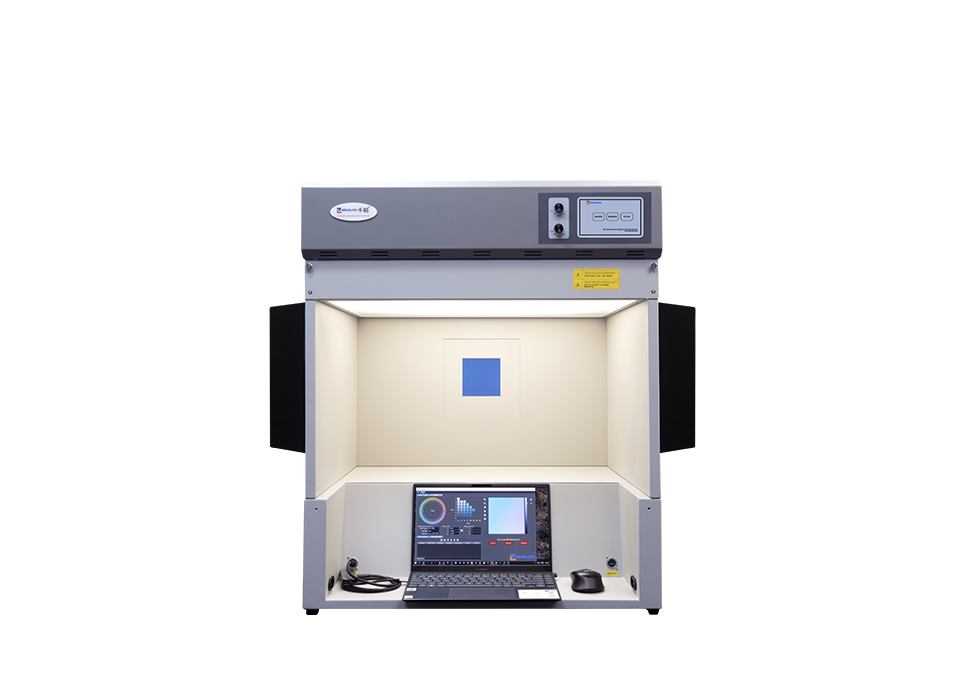
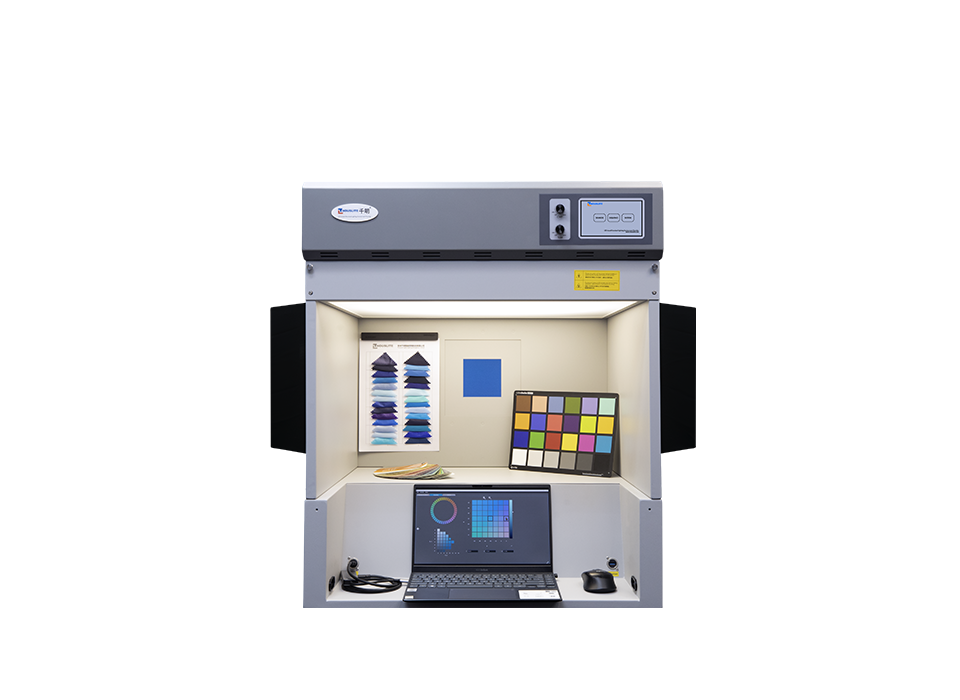
LEDSimulator is a powerful tool for communicating Total Appearance throughout the supply chain. It supports design creativity, allowing color to be 1) visualized on a wide range of textures and 2) matched between the virtual and real samples. LEDSimulator can also be used to build a color-texture database for testing camera quality.
- Colorway supports color selection, matching, and palette design
- Includes 3 observer window sizes and various substrates for evaluating texture effects
- 2 tunable LED panels provide a wide color gamut
- The LEDView viewing cabinet includes D65, A, and TL84 for surface color assessment
- CIE L*a*b*, L*C*h, and QTX file compatibility for data communication
- Features
- Specifications
- Video
- Downloads
- FAQs
- Total Appearance Reproduction System
Reproduce the four attributes of Total Appearance, including color, texture, gloss and translucency.
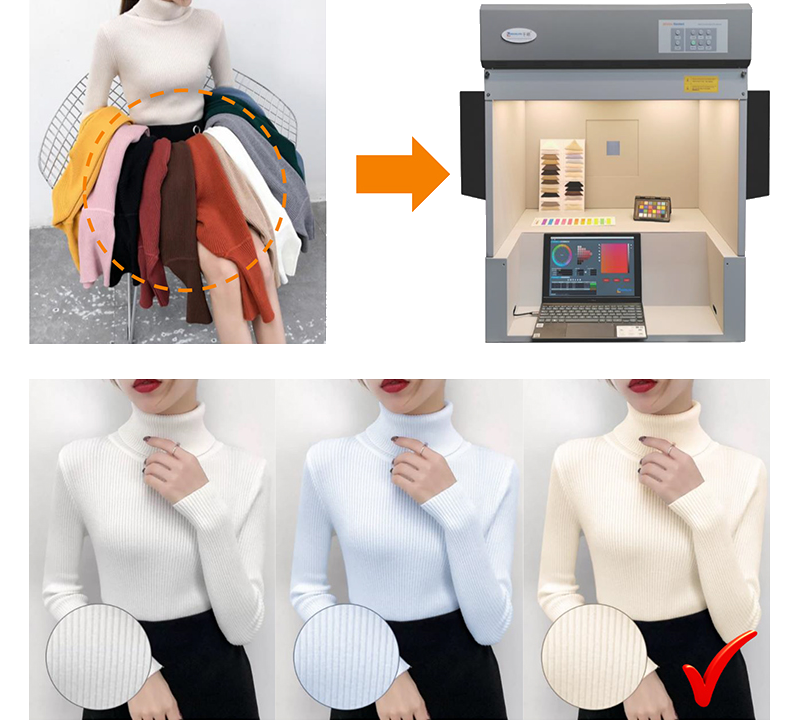 Realtime colour design, eliminate wasteful sampling.
Not only the colour, but also the texture and gloss of substrates.
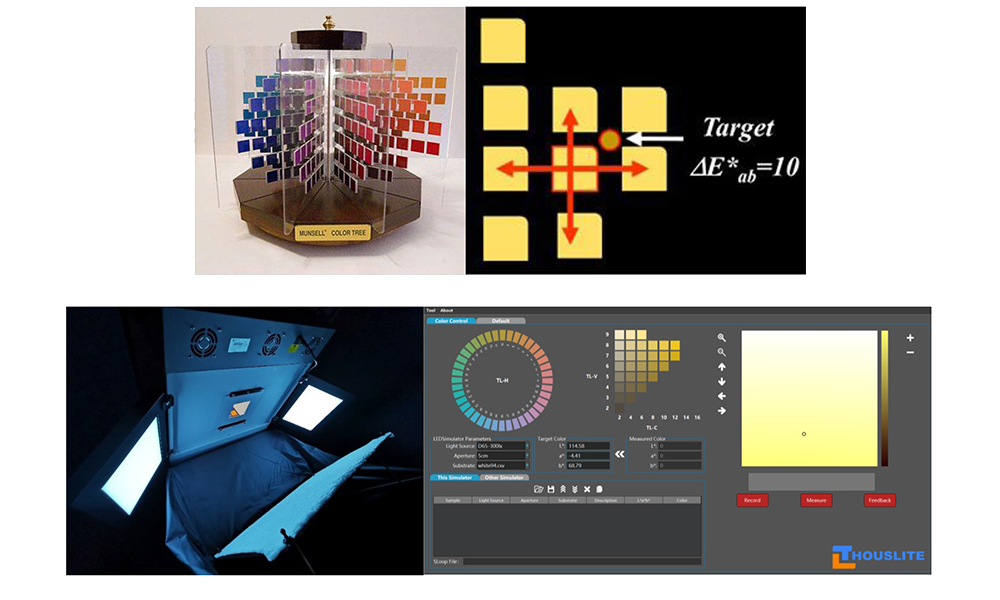 Designer's color palette, you can choose any colour you want
A large colour gamut, not limited to the colours on the books or fan decks of colour patches using either coated ink on paper or textile dyes on flat fabric..
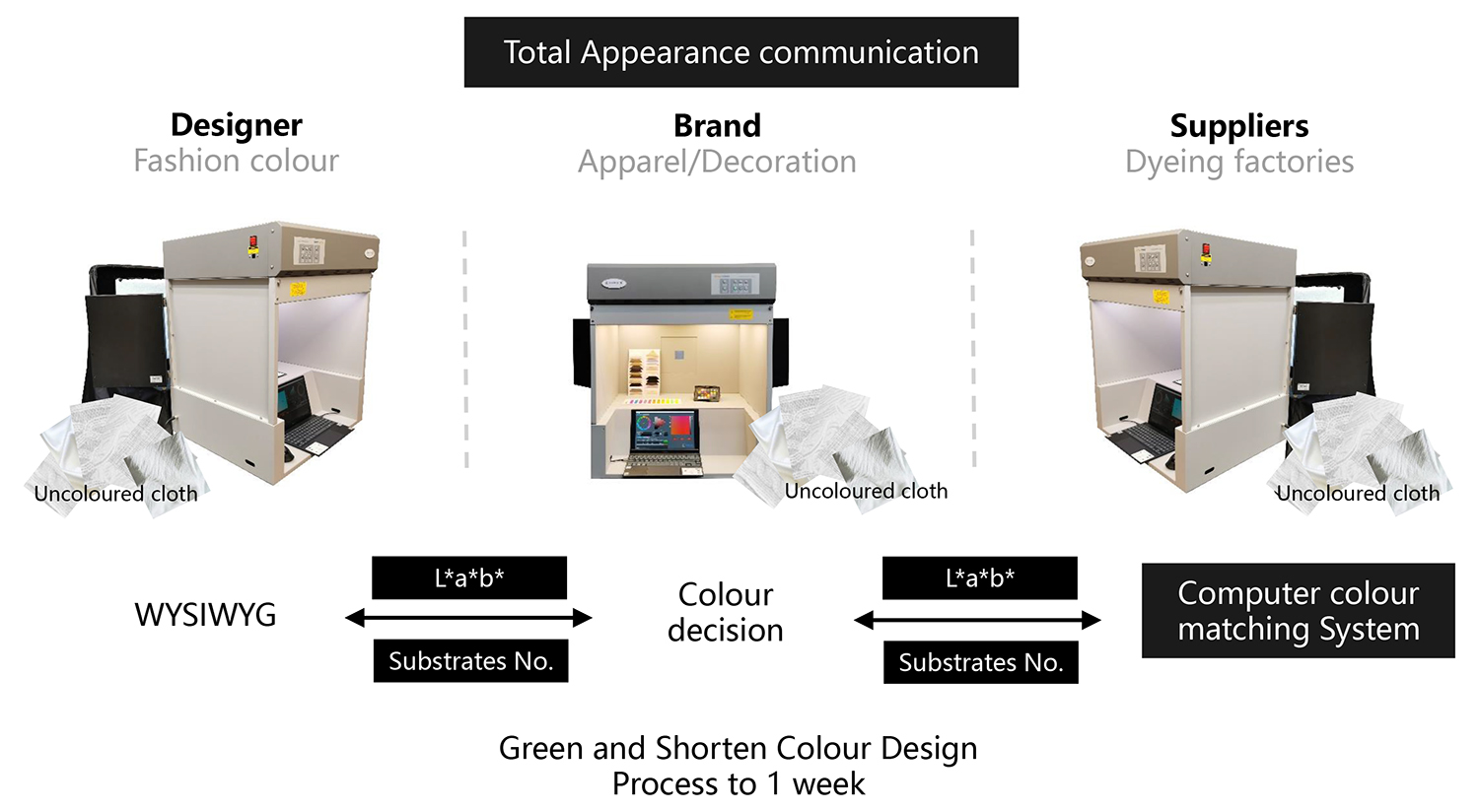 Total Appearance digital communication platform, shorten the design cycle
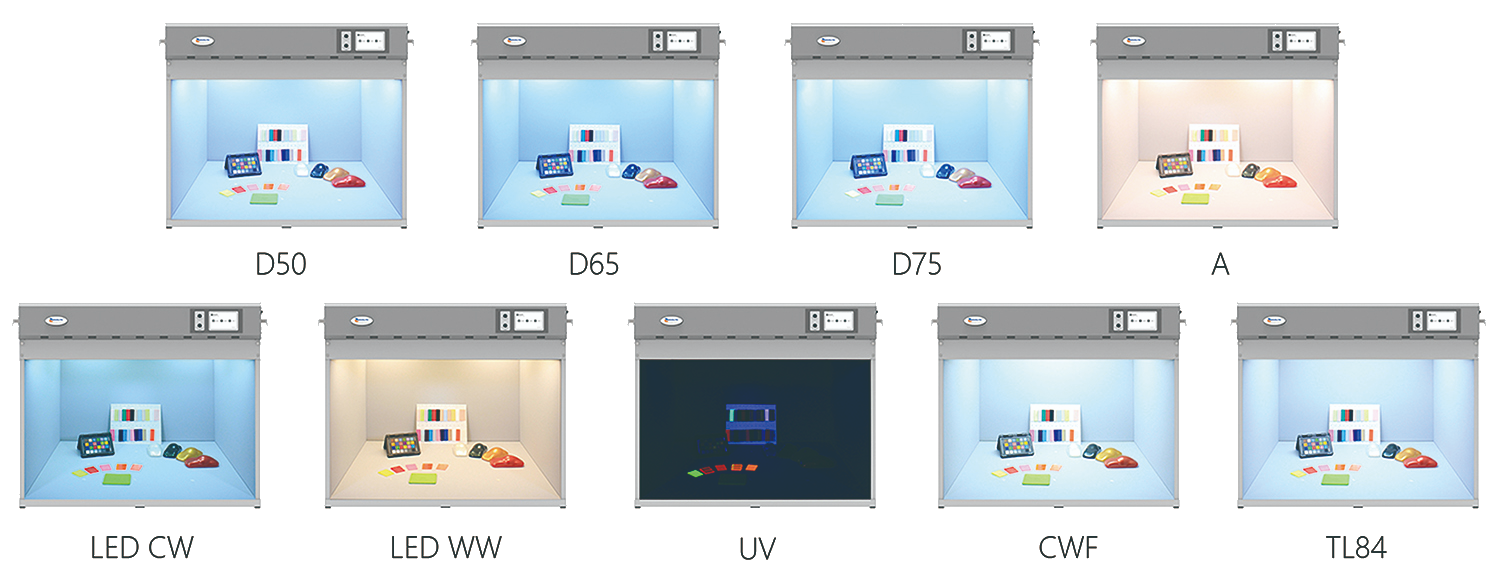 Multi-channel LED standard lighting viewing cabinet, can reproduce high quality standard daylight
To reproduce any phase of daylight with highest quality on the market in terms of Color Rendering Index (CIE Ra) 99 and Metamerism Index (MI) Grade A .The viewing cabinet includes the standard CIE illuminants D50、D65 and D75.
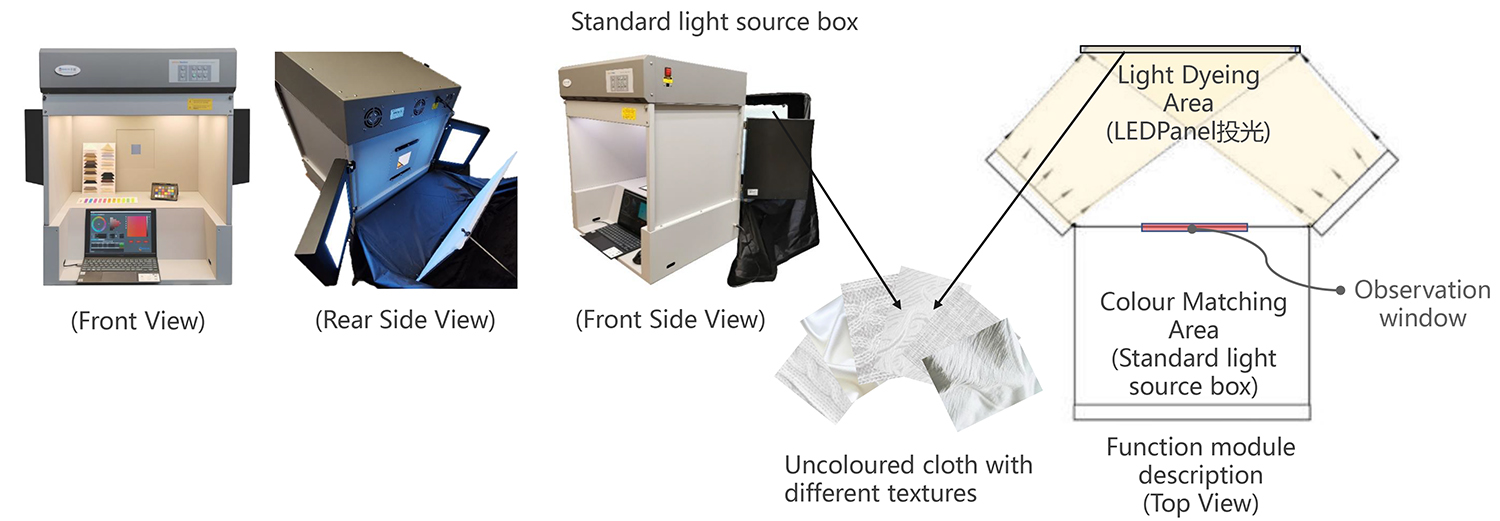 Multifunction Equipment
Colour Matching Area: Multi-channel LED Standard Viewing Cabinet Real-time Light Dyeing Area: 2 LEDPanel project light to colour the white cloth into the target colour.
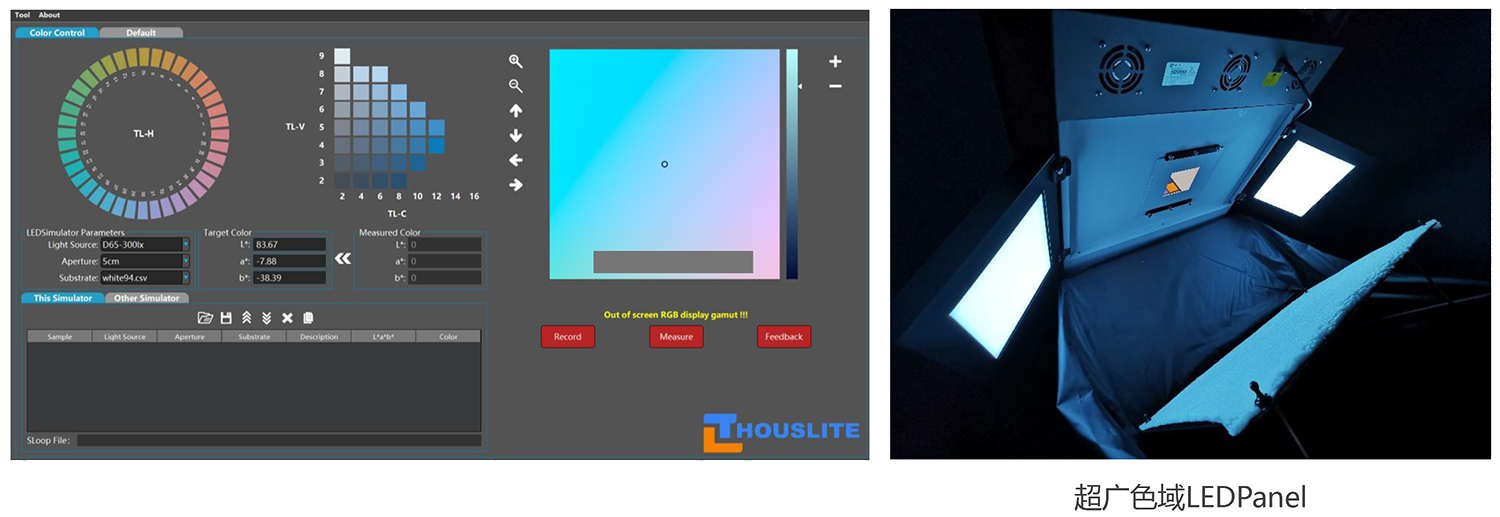 Light Dyeing Area: You can choose any uncoloured substrates.
Light Dyeing Area: By using LEDSimulator software and 2 large colour gamut LEDPanels to colour the substrates, the light uniformity is >90%
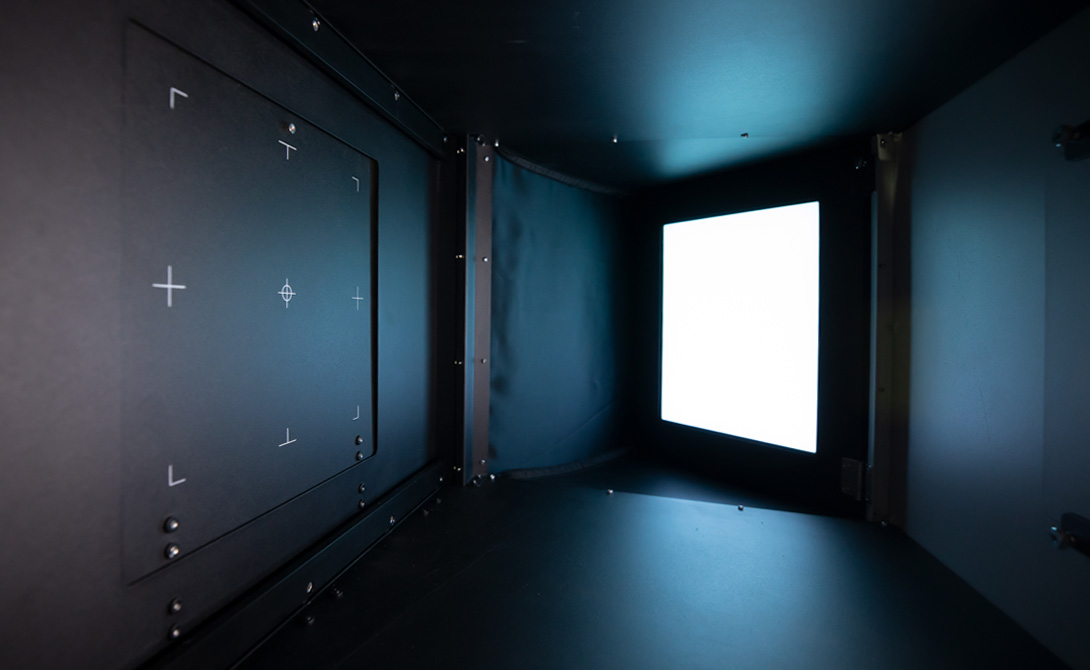 Portable dark room
A compartment covered by the black cloth in the back of the cabinet to prevent the interference of ambient light in the room.
| Color assessment (Color assessment cabinet) | Light simulation (Color assessment cabinet + LEDPanel) | ||
| Model | LEDView – STD | LEDView – STD | LEDPanel – S3 |
| LED channels | 14 channel | 14 channel | – |
| Spectral range | 380~730 nm | 380~730 nm | – |
| LED channel drive method | Amplitude Modulation | Amplitude Modulation | Amplitude Modulation |
| Resolution | 10 bit (1024 steps dimmable for each channel) | 10 bit (1024 steps dimmable for each channel) | 10 bit (1024 steps dimmable for each channel) |
| Warm up time | No | No | No |
| LED lifetime | >12,000 hours | >12,000 hours | >12,000 hours |
| LED simulated source amount | 80 light source in LEDView hardware and can be switched via touch screen switch panel , unlimited in software | – | >1,000,000,000 colors |
| LED simulated source options | Daylight Options (exclude UV): CIE D50,CIE Ra: 99, MIvis: A, 1000lux CIE D65,CIE Ra: 99, MIvis: A, 1000lux CIE D75,CIE Ra: 99, MIvis: A, 1000lux Others: A, CIE Ra>97 or customer specify | Default light source: CIE D50,CIE Ra: 99, MIvis: A, 500lux CIE D65,CIE Ra: 99, MIvis: A, 500lux A,CIE Ra>97, 500lux TL84, 500lux | – |
| LED simulated source CCT range and accuracy | CCT: 2000~20000K Duv: -0.02~+0.02 | – | – |
| Color difference between instruments | – | – | < 1 E00 |
| LED simulated source illumination level | Default: 1500 lux Further adjust via software. Max up to 2500lux, depending on the illuminant | Default: 500 lux | 120 cd/m2 @ Reflection 94% |
| LED simulated source stability | ±1.5% | ||
| Two options for fluorescent tubes | Choose two from the following three CWF (Default) TL84 (Default) TL83 | – | – |
| Fluorescent intensity adjustment | Yes | – | – |
| Software instrument compatibility | – | – | Jeti Specbos 1211UV |
| Uniformity | 85% | 85% | |
| Interior color | Munsell N5 Munsell N7 (Default) | – | |
| Observation area size(L/W/H) | 650×540×390 mm | 650×540×390 mm | 3 kinds of Shading boards 50×50mm 100×100mm 150×150mm |
| Control method | Touch screen | Touch screen | USB cable |
| Electrical | 100-240V 50/60Hz,300W MAX | ||
| External dimensions(L/W/H) | 1230×1020×840 mm | ||
| Weight | 70 Kg | ||
| Scope of delivery | Overhead luminarie, viewing cabinet, diffuser, power cord, USB cable, Portable darkroom, 3 kinds of Shading boards, THOUSLITE FS spectrometer (optional) | ||
| Software | – | ColorWay | |
*The ambient temperature of LEDSimulator should be at 25±2°
Online Video

FAQs
- What is LEDSimulator and what are its main functions?
LEDSimulator is a real lighting environment color appearance reproduction system launched by THOUSLITE, a flagship product for the textile and color management industry.
Core functions:
• Total Appearance reproduction: Simultaneously reproduce the four attributes of Total Appearance—color, texture, gloss, and translucency
• Real-time color design: Visualize color effects at the design stage, reducing wasteful sampling
• Digital color communication platform: Shorten design cycles and enable digital transmission of Total Appearance throughout the supply chain
• Virtual-to-real matching: Visualize colors on multiple textures and match between virtual and real samples - How does LEDSimulator achieve “Total Appearance” reproduction?
LEDSimulator achieves Total Appearance reproduction through:
• Color: Precisely reproducing target colors with high-precision multi-channel LED light sources
• Texture: Visualizing color effects on multiple substrates
• Gloss: Simulating color appearance under different surface gloss levels
• Translucency: Reproducing the color appearance of translucent materials
The system combines the LEDView standard viewing cabinet with LEDPanel projection light sources to achieve real-time color design and appearance reproduction. - What color selection and matching functions does LEDSimulator support?
LEDSimulator includes powerful color tools:
• ColorWay: Supports color selection, matching, and palette design
• Wide color gamut: Choose any color, not limited to the finite colors on color books or swatch decks
• Large color space: Explore millions of colors
• Physical matching: Match found physical objects to digital specifications
• File compatibility: Supports CIE L*a*b, LC*h, and QTX file formats for data communication - What observation window and substrate configurations does LEDSimulator have?
LEDSimulator provides flexible observation configurations:
• 3 observation window sizes: Accommodating different sample sizes
• Multiple substrates: For evaluating texture effects, supporting color visualization on different materials
Substrates can be various materials such as undyed fabrics and paper. Colors are projected onto the substrates via LEDPanel. - What light sources are included in the standard viewing cabinet of LEDSimulator?
The LEDView standard viewing cabinet included with LEDSimulator contains the following standard light sources:
• D50: 5000K standard daylight, CIE Ra 99, MI Grade A
• D65: 6500K standard daylight, CIE Ra 99, MI Grade A
• A light source: Incandescent light source, CIE Ra > 97
All light sources have extremely high Color Rendering Index and Grade A Metamerism Index. - What is the “Light Dyeing” function of LEDSimulator?
“Light Dyeing” is a unique function of LEDSimulator:
• Projecting target colors onto undyed substrates through 2 LEDPanel projection light sources
• Previewing color effects on fabrics without actual dyeing
• Light uniformity >90%, ensuring consistent color presentation
• Supporting any undyed substrate
This function significantly shortens the color development and sampling cycle in the textile industry. - What is the purpose of the portable darkroom of LEDSimulator?
LEDSimulator is equipped with a portable darkroom—a compartment covered by black cloth at the back of the viewing cabinet.Its functions are:
• Preventing ambient light interference: Ensuring color evaluation under controlled lighting conditions
• Improving evaluation accuracy: Eliminating the influence of ambient light on color judgment
• Flexible use: Can be deployed or retracted as needed - What industries is LEDSimulator mainly used in?
LEDSimulator is mainly used in:
• Textile industry: Color management, supply chain color communication, sampling efficiency improvement
• Printing and dyeing industry: Color matching and quality control
• Coating industry: Color selection and appearance evaluation
• Automotive industry: Interior and exterior color design
• Digital supply chain: Total Appearance digital communication platform